
Things I was sure were in the whitepaper but none of them are 👀
Happy Bitcoin white paper day, it’s eighteen today! https://t.co/6xa4lI0N3G

BitBox
Swiss-made open-source hardware wallet line launched in 2015 by Shift Crypto
4.0/ 5
Our score
Very good
Secure element
Yes
Firmware
Fully open source
Bitcoin-only
Yes
What is BitBox?
BitBox is a Swiss-made hardware wallet line for self-custody of Bitcoin and other cryptocurrencies. The BitBox02 and BitBox02 Nova use fully open-source firmware, with Bitcoin-only and Multi editions for different asset needs. The line began in 2015 and is operated by Shift Crypto AG.
Company and founders
Shift Crypto AG operates from Zurich, Switzerland. Douglas Bakkum and Jonas Schnelli started the product line in 2015 with the BitBox01, also known as the Digital BitBox. The company remains privately held. The current range consists of the BitBox02 and BitBox02 Nova, supported by the BitBoxApp.
How BitBox works
Private keys stay on the hardware wallet while the BitBoxApp handles account management, sending and receiving transactions, exchanging and spending coins. The app runs on Windows, macOS, Linux, Android and iOS. BitBox02 connects by USB, while BitBox02 Nova adds Bluetooth support for iPhone and iPad.
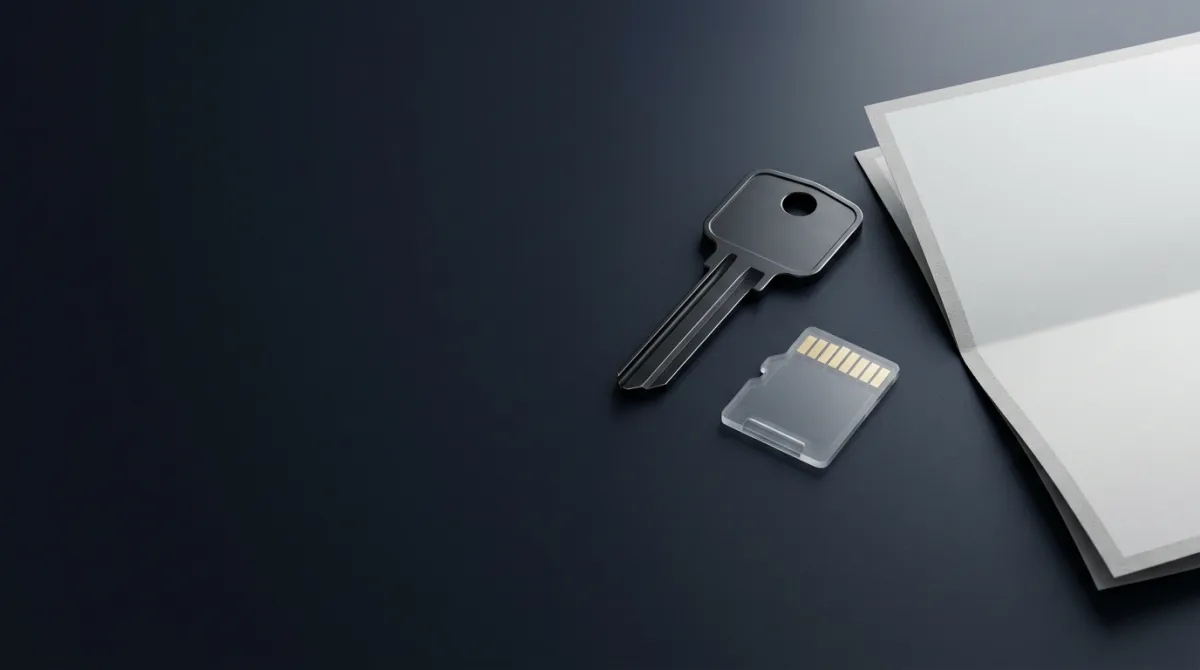
Both models use a dual-chip design with a secure chip. The BitBox02 Nova's secure chip is EAL6+ certified. Setup creates a backup on the included microSD card, and recovery words can also be written on paper or steel. The wallets support 12 or 24 recovery words and BIP39 passphrases. The Multi editions support multiple coins, while Bitcoin-only editions remove other-asset functionality. The BitBoxApp also includes a Lightning wallet.
Cost and availability
BitBox devices are sold as hardware products rather than custodial accounts. The BitBoxApp is available on major desktop and mobile operating systems, and support is offered in English, German, Italian and Spanish. The devices are designed and manufactured in Switzerland. The product pages present the wallets as self-custody tools. Transactions and backups remain the owner's responsibility.
Track record and security
BitBox released the BitBox02 in 2019 with its dual-chip security architecture. Census Labs audited the BitBox02 firmware, and the company runs a bug bounty program. In January 2026, the Marmorera update added a BitBox02 Nova security update and device-password setting. The May 2026 Geneva update added swapping and message signing to the app, along with widgets.
In July 2026, firmware version 9.26.3 fixed a severe Ethereum EIP-712 message-signing issue in the Multi edition through a bootloader update; the BitBox02 Nova was not affected. In 2026, BitBox also disclosed that subscriber email addresses were exposed through a breach at its newsletter provider, Brevo.
Risks and limitations
Hardware-wallet risks include tampered devices from unauthorised resellers and loss or theft of recovery backups. Physical attacks against a device are another risk. BitBox uses microSD backups, but the card and written recovery words remain sensitive. The Multi edition also depends on firmware updates for supported asset functionality, while the July 2026 signing issue shows that open-source firmware can still contain serious bugs.
Founders
Douglas BakkumCo-founder
Jonas SchnelliCo-founder
Best for:Long-term Bitcoin self-custodyOpen-source wallet usersiPhone and iPad ownersMultisignature wallet setups
Pros and cons
Pros
- Fully open-source firmware and companion app
- EAL6+ secure chip with dual-chip design
- MicroSD backup plus 12 or 24 recovery words
- Bitcoin-only and Multi editions
- Native iPhone and iPad support on BitBox02 Nova
- Census Labs firmware audit and bug bounty program
Cons
- BitBox02 Nova Bluetooth support is limited to iPhone and iPad
- The July 2026 Multi-edition signing issue required firmware 9.26.3
- Recovery depends on securely storing a microSD card or recovery words
- Subscriber email addresses were exposed in a 2026 Brevo breach
Our review
4.0/5
Very good
BitBox combines open-source firmware, dual-chip security and simple backups, but its coin support and connectivity vary by model.
BitBox is a Swiss hardware-wallet line operated by Shift Crypto AG, a privately held company started in 2015 by Douglas Bakkum and Jonas Schnelli. The current range has the BitBox02 and BitBox02 Nova, each in Bitcoin-only and Multi editions. That gives buyers a clear choice between a focused Bitcoin device and a wallet for several assets.
Firmware and the BitBoxApp are fully open source, while the BitBox02 uses a dual-chip design. The BitBox02 Nova adds an EAL6+ certified secure chip. The BitBox02 firmware has been audited by Census Labs, and the company runs a bug bounty program. Firmware 9.26.3 fixed the issue with a bootloader update; the Nova was not affected.
Each device supports microSD backups and 12 or 24 recovery words, with an option to record the words on paper or steel. The BitBox02 uses USB, while the Nova also supports Bluetooth for iPhone and iPad. There is no Bluetooth on the original BitBox02.
Coin coverage depends on the edition. Bitcoin-only removes other assets, while Multi supports multiple coins through the BitBoxApp. The app runs on Windows, macOS, Linux, Android and iOS, and includes swapping, message signing and a Lightning wallet.
BitBox has operated since 2015, with releases in 2015 and 2019 and regular 2026 security and feature updates. The newsletter-provider breach exposed subscriber email addresses in 2026, although it was not a device custody incident. BitBox offers inspectable firmware and local backups through the BitBoxApp.
Sources (1)
Specs
| Secure element | Yes · unverified |
|---|---|
| Firmware | Fully open source · unverified |
| Display | Screen + buttons · unverified |
| Bitcoin-only | Yes · unverified |
| Companion app | BitBoxApp · unverified |
| Backup options | microSD card, Recovery words · unverified |
Not disclosed by the provider: KYC required, Price from, Connectivity, Air-gapped signing, Supported assets, Battery, BIP39 passphrase, Multisig support, Touchscreen, NFC.
Data from the provider's website and public sources. Fees and availability change; confirm on the official site before you sign up.
Key features
Open-source firmware
The BitBox firmware and BitBoxApp are fully open source. Their code can be inspected and audited.
Dual-chip security
BitBox02 models combine a microcontroller with a secure chip; the secure chip is EAL6+ certified.
MicroSD backups
Setup creates a wallet backup on the included microSD card, with recovery words as an additional option.
Mobile connectivity
BitBox02 Nova supports Bluetooth with iPhone and iPad, while both models support USB connectivity.
Bitcoin-only editions
BitBox02 and BitBox02 Nova are available in Bitcoin-only editions alongside Multi editions for multiple coins.
Passphrase support
Users can add a BIP39 passphrase to a wallet.
Lightning wallet
The BitBoxApp includes a Lightning wallet for Bitcoin payments, including on BitBox02 with Android.
Inside BitBox
BitBox02
The original hardware wallet uses USB connectivity, a standard OLED display and microSD backup. It comes in Bitcoin-only and Multi editions.
BitBox02 Nova
The Nova adds native iPhone and iPad support through Bluetooth, a scratch-resistant glass display and an EAL6+ certified secure chip. It is available in Bitcoin-only and Multi editions.
BitBoxApp
The companion app manages BitBox accounts, transactions, exchanges and spending on Windows, macOS, Linux, Android and iOS.
Lightning
The BitBoxApp includes a Lightning wallet for quick Bitcoin payments without creating a separate backup. BitBox02 on Android supports Lightning too.
What users say about BitBox
Posts mention BitBox security features and device troubleshooting. Complaints focus on newsletter security and communication failures, plus occasional device problems.
Top goods
In their own words
“Legend. If you currently use a software wallet, that is okay, but make sure to purchase a hardware wallet soon (this is a large amount of Bitcoin). I recommend the BitBox02. Get the Nova if you want to use it with iOS, for Windows the regular BitBox02 is enough.”
“This is my 2nd hardware wallet. I started with a trezor safe 3 which i still love. So far the bitbox experience has been just as good as my Trezor. The only downside i noticed was that the bitbox desktop app felt much inferior in terms of the look and feel + experience compared to trezor.”
“Thanks for following up and sharing what you discovered, really helpful for others who might run into the same thing! In short: • The passphrase feature must be enabled in the BitBoxApp first • The Sparrow wallet password is only a local file-encryption password — it does **not** open the…”
“Bitbox02 Error Recently purchased BTC only Bitbox02. Have previously opened and signed but when trying to transfer back from a test multisig I get this error message. Have tried all troubleshooting and yet nothing works. Any ideas would be greatly appreciated 🙏”
“I raised the same point 24 hours later, but two weeks is inexcusable. I guess you at least know you’re on your own if something goes wrong!”
“Security breach newsletter Hello Bitbox, Since the security vulnerability in your newsletter, I've been constantly receiving phishing emails. Yesterday, hackers tried to take over my email address, the one I gave you to receive the newsletter back then. I no longer feel safe at home.”
Scam warning: Phishing emails sent through a newsletter provider impersonated BitBox and attempted to obtain users’ seed phrases and passphrases.
Scam warning: Fake BitBox support calls and messages have tried to obtain account or wallet information.
Based on 200 Reddit posts and comments from the last 12 months, checked Oct 18, 2026. These are posts by users on other sites, not reviews submitted on CryptoReview.
User reviews
No user reviews yet. Have you used BitBox? Share your experience below.
FAQ
Who founded BitBox?
Douglas Bakkum and Jonas Schnelli founded the BitBox hardware-wallet line in 2015. Shift Crypto AG operates the product from Switzerland.
Is BitBox safe for self-custody?
BitBox is a self-custody hardware wallet, so private keys remain on the device for transaction signing. Its firmware and BitBoxApp are fully open source, and the BitBox02 firmware was audited by Census Labs; a July 2026 EIP-712 signing issue in the Multi edition was fixed in firmware 9.26.3, while the BitBox02 Nova was not affected.
What happens if a BitBox is lost?
A BitBox wallet can be restored from its microSD backup or its 12 or 24 recovery words. The backup can be restored on a replacement device.
What is the difference between BitBox02 and BitBox02 Nova?
The BitBox02 Nova adds native iPhone and iPad support through Bluetooth, a scratch-resistant glass display and an EAL6+ certified secure chip. The original BitBox02 uses USB and has a standard OLED display.
Does BitBox have an official app?
Yes, the BitBoxApp is the official companion app for sending and receiving transactions, exchanging and spending coins, and managing accounts. It runs on Windows, macOS, Linux, Android and iOS.
Does BitBox support Lightning?
Yes, the BitBoxApp has a Lightning wallet for Bitcoin payments, and BitBox02 on Android also works with Lightning. The Lightning wallet uses the BitBox backup.
Latest from BitBox on X
No exchange is too big to be hacked. https://t.co/GuXUOnZOFn

A screen isn’t an extra.
It’s part of your security.
Your hardware wallet should protect your keys.
And show you what you’re signing. https://t.co/a1FjbiJwoJ
It’s part of your security.
Your hardware wallet should protect your keys.
And show you what you’re signing. https://t.co/a1FjbiJwoJ

“What was that payment for again?” 🤔
Pizza with friends. A birthday gift. That thing you were sure you’d remember.
Add notes to your bitcoin transactions in the BitBoxApp, then find what you’re looking for with a simple search.
A few words today. Less guesswork tomorrow. https://t.co/LEEfnVuYw5
Pizza with friends. A birthday gift. That thing you were sure you’d remember.
Add notes to your bitcoin transactions in the BitBoxApp, then find what you’re looking for with a simple search.
A few words today. Less guesswork tomorrow. https://t.co/LEEfnVuYw5

We'll be speaking at @bitcoinconfams on Nov 5–6, so we've got passes to hand out.
Reply with why you want to go. 5 winners on Oct 28.
We'll DM you. https://t.co/T2RE4x1ggK
Reply with why you want to go. 5 winners on Oct 28.
We'll DM you. https://t.co/T2RE4x1ggK

Recent public posts from @BitBoxSwiss, shown as published. Not reviewed or endorsed by CryptoReview.
Alternatives to BitBox

NFC hardware wallet with 14,100+ assets across 90+ blockchains
NFCSecure elementPartially open source
Air-gapped hardware wallet with QR signing, a CC EAL5+ chip and 10,000+ assets
QR code (air-gapped) · microSDSecure elementClosed source

Open-source hardware wallets supporting 100+ chains and 30,000+ coins and tokens
No KYCUSB-C · BluetoothSecure elementFully open source

Air-gapped hardware wallet with three secure-element chips and QR signing
QR code (air-gapped) · microSDSecure elementFully open source

Hardware wallets with Secure Element chips, 100+ chains and 15,000+ supported assets
No KYCSecure elementPartially open sourcePrice from: $59
Open-source hardware wallet brand protecting crypto since 2013
Secure elementFully open source1,000 supported assets